
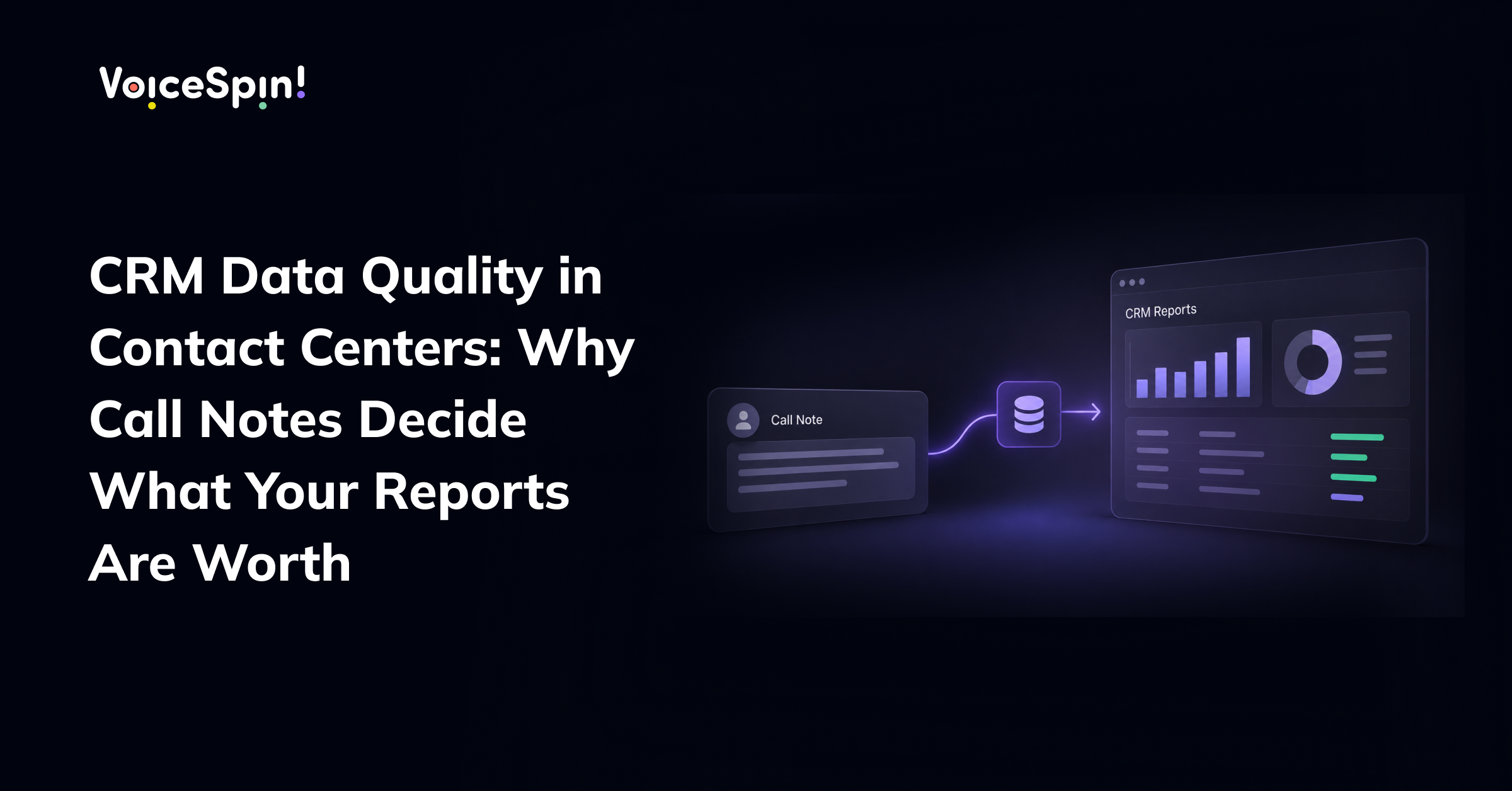

Every contact center manager relies on reports to get a handle on what’s going on. They give you insight into why customers are calling, which marketing campaigns are actually working, how many problems are getting sorted out on the first call and where that pipeline is at the end of the month. Those reports are what help decide how many staff you need to bring in, what sales targets to aim for, what new products to push and how to budget.
But the numbers in those reports are only as good as the information entered into the CRM after each chat. Most contact centers get their info from call notes and disposition codes recorded by reps in the bit of time between calls. When those entries are incomplete, inconsistent or just written down in a hurry, then the reports built on top of them quietly start to become unreliable.
This article explains just why call notes carry such a lot of weight, what usually goes wrong and how contact centers can improve their CRM data quality without piling more pressure on their reps.
Why Call Notes Matter More Than They Seem
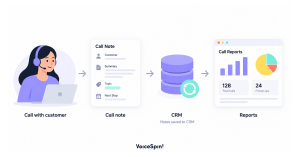
A single call note may look like a minor detail. It records what the customer asked, what was agreed, and what should happen next. Across thousands of conversations, however, those notes become the foundation for nearly every analysis the business performs.
When a manager asks why cancellations increased last quarter, the answer depends on how consistently reps recorded cancellation reasons. When a sales director reviews why deals are lost, the analysis relies on how clearly objections were captured. When the next rep picks up a returning customer, the quality of the previous note determines whether the customer has to explain their situation all over again.
In other words, call notes serve two audiences at once. They support the next conversation with that customer, and they feed the reports that guide the entire operation.
Common Data Quality Problems in Contact Centers
Inconsistent disposition codes. When a CRM offers dozens of disposition options, reps naturally interpret them differently. One rep may mark a billing question as “account inquiry,” while another selects “payment issue.” Both are reasonable choices, but together they fragment the data and make trend analysis unreliable.
The default option. A lot of systems come with a general category like “other” or “general inquiry”. When time is short, that becomes the easy option and over time a big chunk of calls are stuck in a category that tells managers nothing.
Incomplete free-text notes. Notes written between calls often leave out important details like the customer’s underlying reason for calling or what was agreed during the conversation. And even if they are complete, free text is difficult to analyze in bulk.
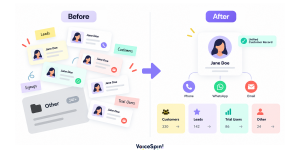
Duplicate and outdated records. When customers call through different channels like phone, WhatsApp or email, their interactions get logged in separate records. Without a unified view, reports start counting some customers twice and missing bits of their history altogether.
Data entered after the fact. When reps fill in their notes at the end of a shift rather than right after the call, details get forgotten or get muddled together, making it even harder to get accurate info.
Why This Is a Process Problem, Not a People Problem
It is easy to conclude that poor CRM data is the result of careless note-taking. In reality, the causes are almost always structural. Reps are asked to deliver an excellent customer experience, meet service level targets, and document every conversation thoroughly, often with only seconds between calls. When those priorities compete, the customer in the queue will reasonably take precedence over the note.
CRM design also plays a large role. Long lists of overlapping disposition codes, mandatory fields that do not match real conversations, and systems that require reps to switch between several screens all make accurate documentation harder than it needs to be. Improving data quality starts with making it easier to record the right information, not with asking reps to try harder.
How Poor Data Affects the Business
The impact of poor data runs way beyond the contact center. Forecasts built on unreliable pipeline data lead to missed targets and wasted resources. Product and operations teams may end up investing in the wrong solutions because the real reasons behind customer calls are hidden in vague categories. Marketing teams might get the wrong end of the stick about what campaigns are actually working.
There’s also a direct customer cost to all this. When a customer reaches a rep who can’t see what happened in the previous conversation, the customer has to repeat their story yet again, and the experience suffers, no matter how skilled the rep is.
As more contact centers start using AI tools for forecasting, routing and analysis, the stakes get higher. AI learns from the data it gets, and unreliable CRM records just mean unreliable results.
Practical Ways to Improve CRM Data Quality
Tidy up the disposition codes. Look at the full list and see if you can consolidate any overlapping options into a shorter, clearer set. That way reps know exactly what to choose and managers can trust the data. Each code should have a short description to make sure everyone’s on the same page.
Make the most important fields structured. This means putting in fields for things that the business really needs to be able to analyze, like contact reason, outcome, and next step. That way you can keep free-text notes for context that helps the next rep, and keep the analysis clean and simple.
Unify customer records. Get all the different channels like phone, WhatsApp and email to write to the same CRM record per customer. That gets rid of duplicates and means every rep sees the whole interaction history.
Give reps time to wrap up properly. After-call work is part of the job, not something to rush past as quickly as possible. If you set realistic wrap-up times in the staffing model, that’ll help the accuracy of what gets recorded.
Check data quality regularly. Do regular audits that compare a sample of notes to the actual call, and that’ll help you spot which codes are being interpreted wrong and where you need to add some extra guidance. But make sure to share the findings as coaching and support, rather than criticism.
How AI Supports Better Call Documentation
AI is changing how contact centers approach documentation. By analyzing recorded conversations, AI tools can generate structured summaries, suggest the most relevant contact reason, and highlight commitments made during the call. Reps can then review and confirm the information rather than writing every detail from scratch.
Doing it this way helps keep things consistent since the same formula is applied to every single conversation, while still keeping the final say with the rep to ensure they get it right. And as a bonus, it gives them a little more time & attention to focus on the customer in front of them, which is where their real expertise can shine.
Integration matters just as much as analysis. When the contact center platform is connected directly to the CRM, call details, recordings, and conversation insights flow into the right record automatically, reducing manual entry and the errors that come with it. Decathlon Israel, for example, connected its VoiceSpin AI call center and WhatsApp AI chatbot with Zoho CRM, giving its team a unified view of customer interactions across channels.
Conclusion
CRM reports are only as valuable as the data behind them, and in contact centers much of that data begins with the notes and codes recorded after each conversation. When documentation is inconsistent, every dashboard, forecast, and AI model built on top of it inherits those gaps.
Improving CRM data quality is less about asking reps to write more and more about designing processes, systems, and tools that make accurate documentation the natural outcome. VoiceSpin helps contact centers achieve this by connecting voice and messaging channels directly to the CRM and by using AI to turn conversations into structured, reliable information that teams can trust.
Frequently Asked Questions
Why is CRM data quality important for contact centers?
Your CRM data is the foundation for all of your reports, including contact reasons, resolution rates, sales pipeline and campaign performance. So when that data is unreliable, those reports are also unreliable, and you end up with inaccurate forecasts, wasted time and effort and a worse customer experience.
What causes poor data quality in contact center CRMs?
There are a few common causes: overlapping disposition codes, using general categories too much, notes that are too vague, duplicate records and notes that get written long after the call. Most of the time it comes down to the systems and processes in place rather than the reps themselves.
How can contact centers improve the quality of call notes?
Simplifying disposition codes helps, as well as getting reps to capture key info in structured fields. Unifying customer records across channels, and giving reps enough time to wrap up the call all help too. And reviewing data quality regularly will give you a good idea of where things are going wrong. AI can also help by generating a draft summary of the call and then letting your reps review and confirm it.
Can AI write call notes automatically?
AI can certainly generate a draft summary of the call, including a suggested contact reason and follow-up actions. But the most effective approach is still to have the AI do the first draft, and then have your reps review and confirm it before it gets saved to the CRM.
How does CRM integration improve contact center reporting?
When your contact center platform is linked up to your CRM, the call details and recordings and messaging interactions all get logged into the right record automatically. This means much less manual entry, fewer duplicate records and reports that are actually a true picture of what’s happening across every channel.



 +18889082995
 +442036084160
 +97237237006
 Call on WhatsApp

